
Feature Toggles
Administrators can enable or disable specific features for the entire organization. This lets you control which AI capabilities are available to your users.
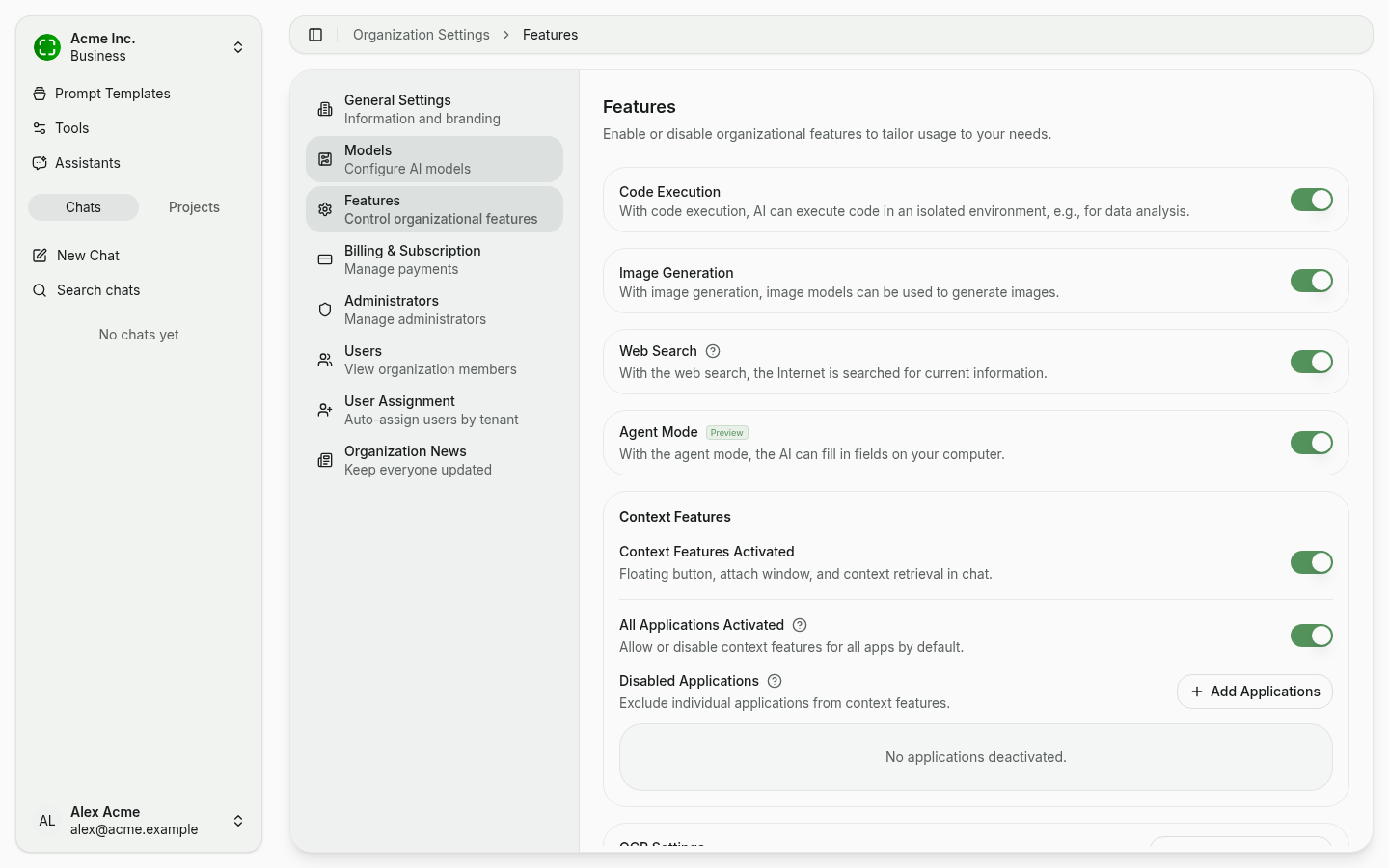
Accessing Feature Toggles
- Sign in as an administrator.
- Open Organization Settings → Features.
Available Feature Toggles
Code Execution
When enabled, the AI can write and execute code in a sandboxed environment during conversations. This is useful for data analysis, calculations, and generating visualizations.
Image Generation
When enabled, users can ask the AI to generate images. This requires a configured image generation model (see Model Configuration).
Web Search
When enabled, the AI can search the web to find up-to-date information during conversations. This is useful for questions about current events, recent documentation, or topics not covered by the model's training data.
Agent Mode (Preview)
When enabled, the AI can operate in agent mode, where it autonomously plans and executes multi-step tasks. The AI can chain together multiple tool calls and reasoning steps to accomplish complex goals.
Context Features
Context features control the floating nunq button, attachable windows and in-chat context retrieval — primarily relevant for the desktop app.
- Context Features Activated — Master switch that enables or disables every context feature.
- All Applications Activated — When on, context features are allowed in any application. When off, an explicit allowlist is enforced.
- Disabled Applications — Per-application denylist for sensitive apps (password managers, banking apps, etc.). Use + Add Applications to add entries.
These policies are applied organization-wide and affect all users running the desktop app. Users can also configure their own local exclusions in addition to the organization policies.
OCR Method Configuration
nunq uses optical character recognition (OCR) to extract text from images and documents. Two options are available:
- Default OCR: Built-in text extraction. No additional configuration required.
- Azure Document Intelligence: Microsoft's advanced document analysis service. Provides higher accuracy for complex documents, tables, and handwritten text. Requires an Azure Document Intelligence resource and API key.
To switch OCR methods, select the desired option in the Features settings and provide any required credentials.