
Tools & MCP Integrations
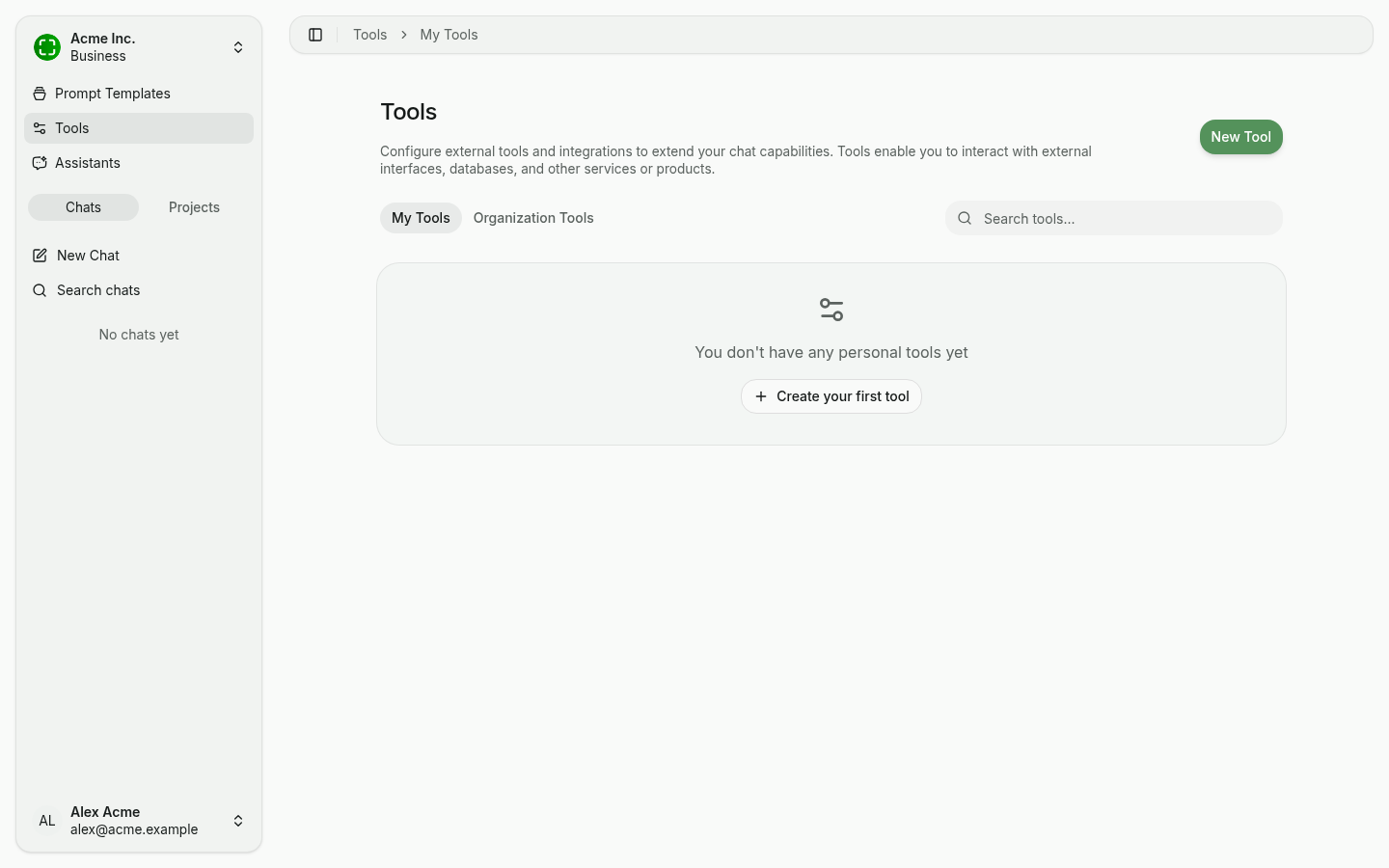
Tools extend the AI's capabilities beyond text generation. They allow the AI to perform actions such as searching the web, executing code, generating images, and interacting with external services.
Tool Catalog
Click New Tool to open the catalog of pre-built integrations. Tools are grouped by category (All, CRM, Database, Development) and include:
- Business Central — Query Microsoft Dynamics 365 ERP data.
- Microsoft Word — Create and edit documents via the Word MCP server.
- Azure DevOps — Manage work items, repos, and pipelines.
- Atlassian — Query Jira and Confluence content.
- Monday.com — Project and workflow management.
- Figma — Design files and collaboration.
- Linear — Issue tracking and project management.
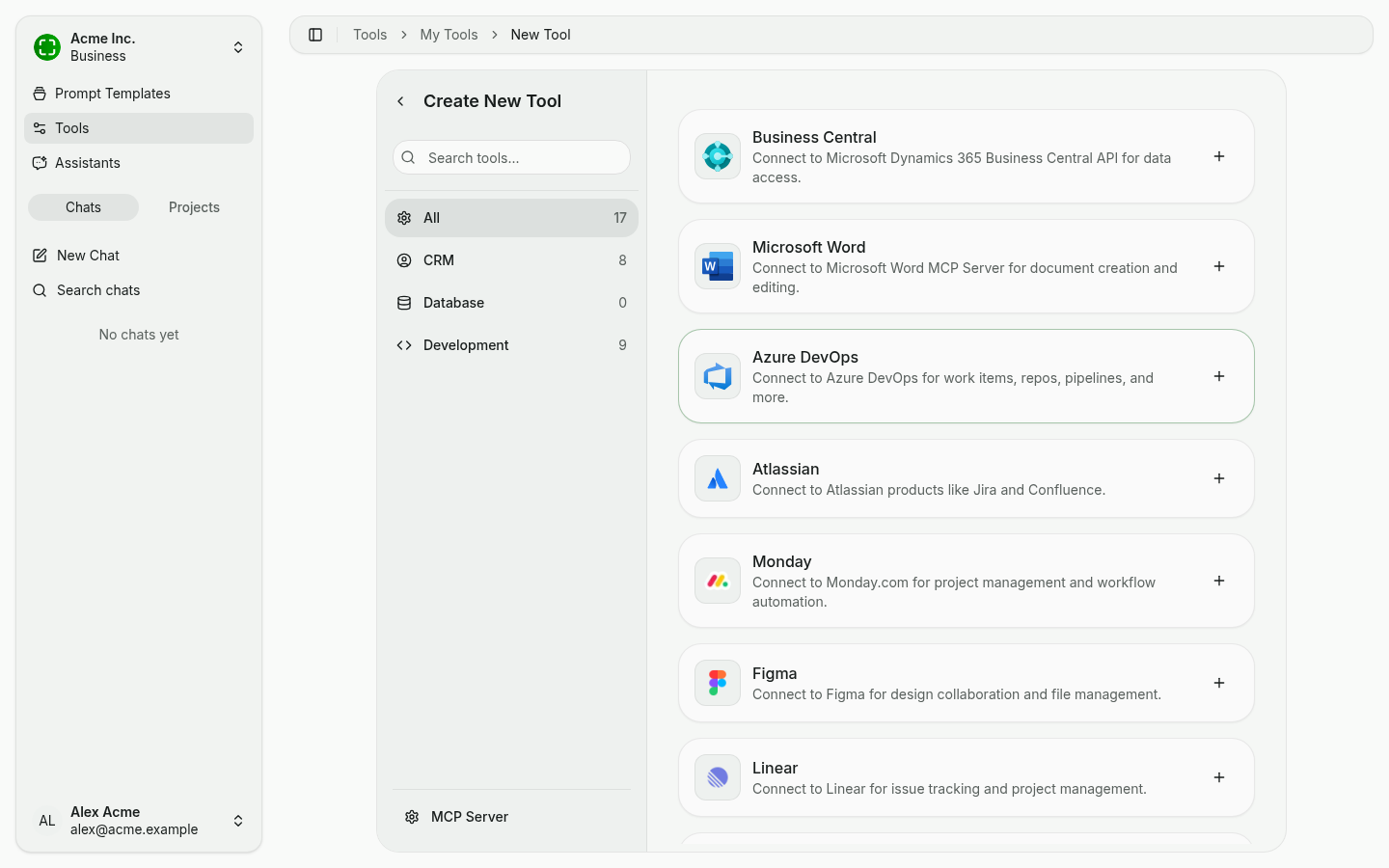
Use the search box at the top of the catalog to filter by name.
Built-in Tools
In addition to external integrations, nunq includes several built-in tools that work out of the box:
- Web Search — Search the internet for current information and include results in the AI's response.
- Code Interpreter — Write and run Python code in a sandboxed environment for calculations, data analysis, and visualizations.
- Image Generation — Generate images from text descriptions using supported image generation models.
- Canvas Tools — Create and edit structured documents in the canvas view.
- URL Extraction — Fetch and read the content of a web page from a provided URL.
- BPMN Diagrams — Generate business process model and notation diagrams from text descriptions.
Which of these are available depends on your organization's feature toggles.
Custom Tools via MCP
nunq supports the Model Context Protocol (MCP) for connecting to external tool servers. MCP is an open standard that lets AI models discover and invoke tools hosted on remote or local servers.
Adding Your Own MCP Server
In the tool catalog, click MCP Server at the bottom-left to open the configuration form for a custom server.
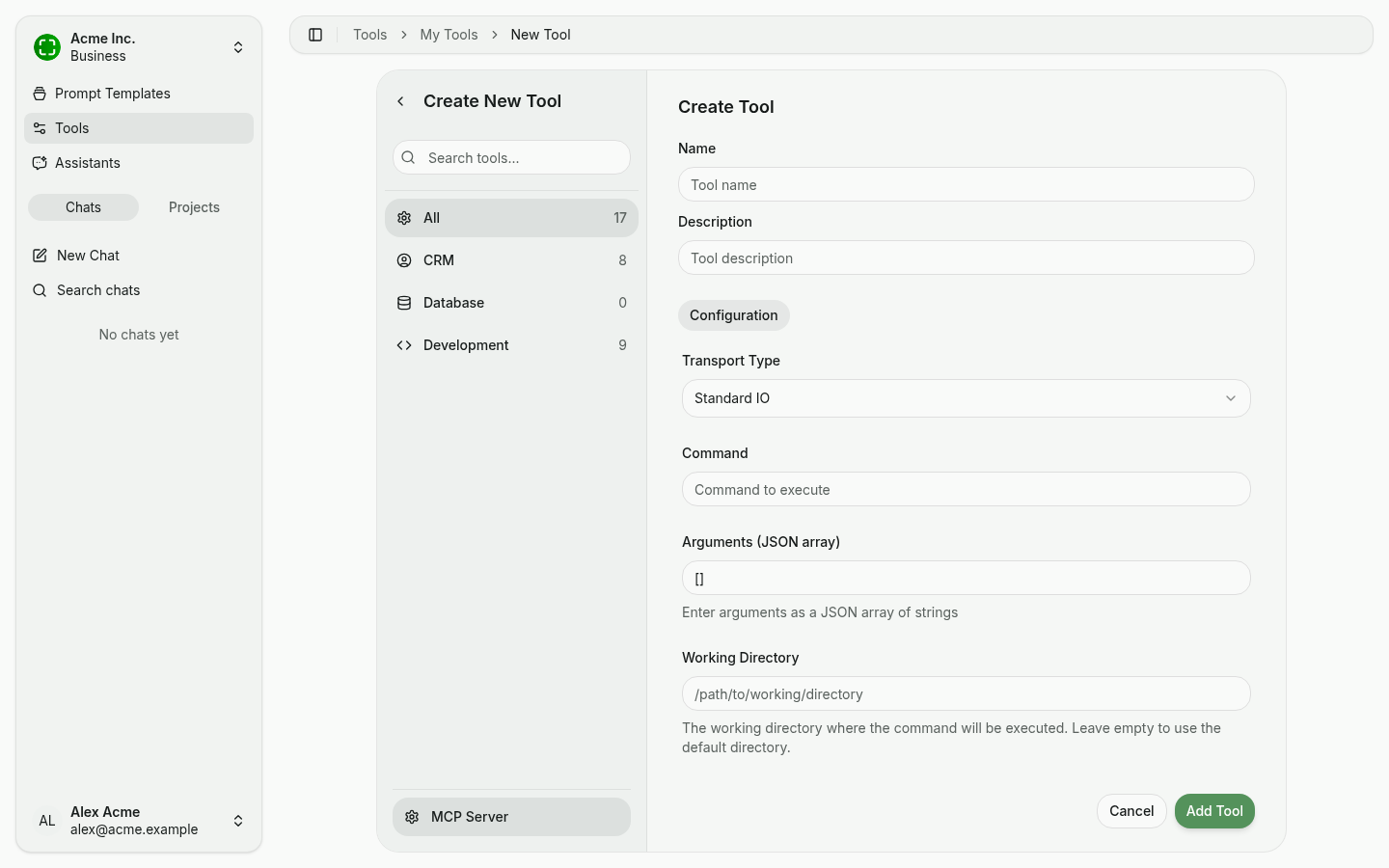
Configurable fields:
- Name and Description — Free-form; shown in the catalog and when assigning to assistants.
- Transport Type —
Standard IOfor local processes, orSSE(Server-Sent Events) for remote servers. - Command — The command to execute, e.g.
npx,uvx,python. - Arguments (JSON array) — Arguments as a JSON array, e.g.
["@modelcontextprotocol/server-everything"]. - Working Directory — Optional working directory for the process.
After saving, nunq connects to the server and automatically discovers the available tools.
Authentication
MCP tools support multiple authentication methods:
- OAuth — For servers that require OAuth 2.0 authorization flows. See OAuth Connections.
- API Key — For servers that authenticate via a static API key.
- No auth — For local servers that don't require authentication.
Personal vs. Organization Tools
- Personal Tools — Created by any user for their own use. Only the creator can see and assign these tools.
- Organization Tools — Created by administrators and available to all members of the organization. Useful for shared integrations that the entire team should have access to.
You can also share a personal tool with specific colleagues, a group, or org-wide without making it an organization tool — see Sharing. Tools attached to an assistant can be shared alongside the assistant in a single step.
Assigning Tools to Assistants
Tools become active when they are assigned to an assistant. Navigate to the assistant configuration and select which tools the assistant should have access to. See Assistants for details.
Tool Execution
During a conversation, the AI decides when to use a tool based on the context of your message and the tools available to the current assistant. When a tool is invoked:
- The AI formulates the tool input based on your request.
- The tool executes and returns a result.
- The AI incorporates the tool's output into its response.
Tool calls are displayed transparently in the chat so you can see what actions the AI took. See Chat Interface for details on tool call visualization.
Example: Business Central Integration
As an example of MCP in action, nunq can connect to the Business Central MCP server. This allows the AI to query business data — such as customers, invoices, or inventory — directly from Business Central during a conversation, enabling natural-language interaction with your ERP system. See Business Central Integration.