
Role Permissions
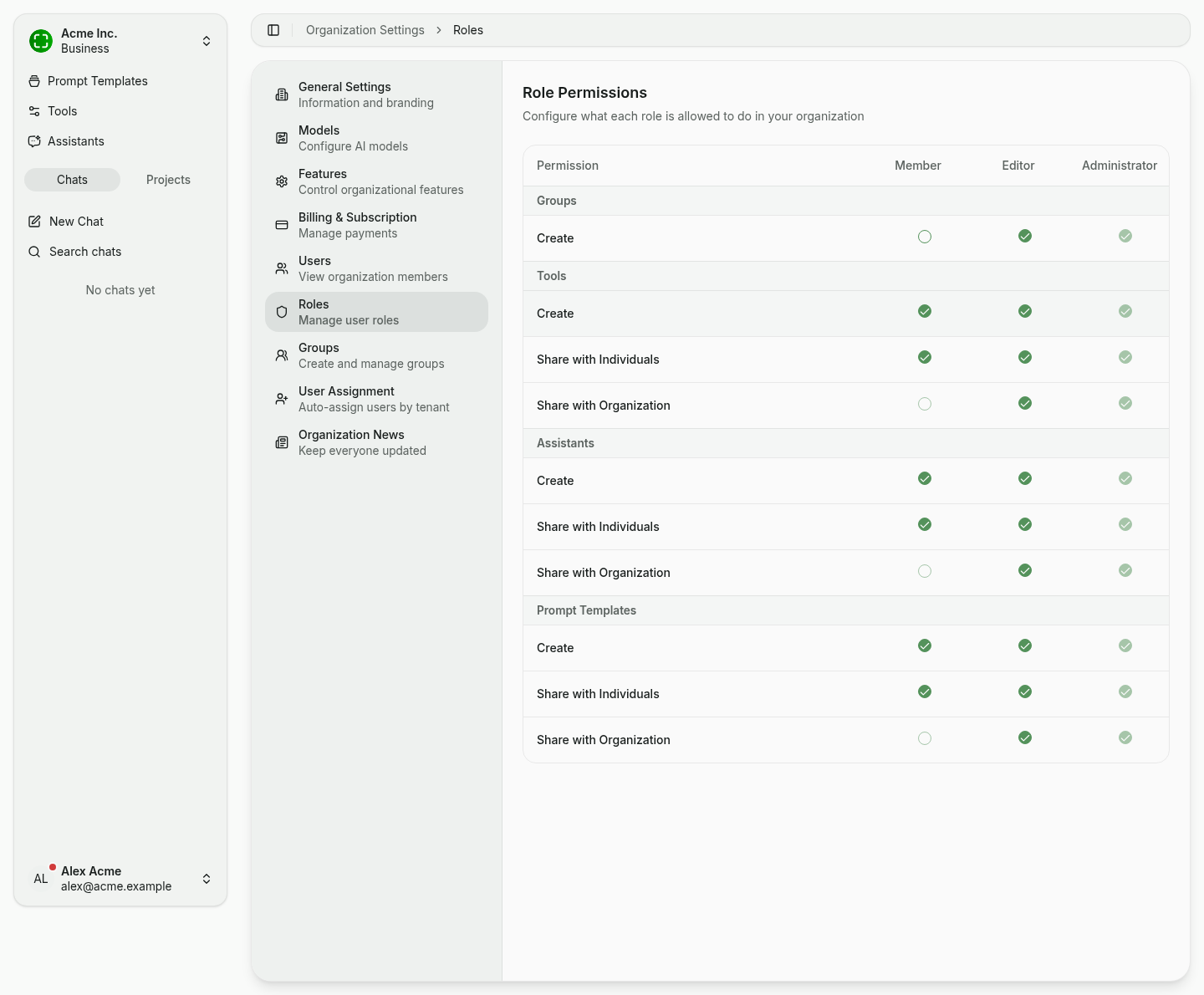
The Roles tab controls what Editors and Members in your organization are allowed to do — fine-grained per resource type. Administrators always have full access in every row and cannot be restricted.
How the matrix works
The matrix groups permissions by resource type. Each resource has up to three actions:
- Create — Can the role create a new resource of this type?
- Share with Individuals — Can the role share one of their own resources with specific members or groups?
- Share with Organization — Can the role share one of their own resources with the entire organization?
The matrix columns map to the three roles: Member, Editor, and Administrator. What "sharing" actually does — the recipient dialog, view-vs-edit permissions, group recipients — is covered under Sharing.
Resource types
| Resource | Available actions |
|---|---|
| Groups | Create |
| Tools | Create, Share with Individuals, Share with Organization |
| Assistants | Create, Share with Individuals, Share with Organization |
| Prompt Templates | Create, Share with Individuals, Share with Organization |
Groups have neither Share with Individuals nor Share with Organization because they are the mechanism for bundling members for shared resources. Who may manage groups is controlled via the Create permission column.
Defaults
Right after an organization is created, the following defaults apply:
| Permission | Member | Editor | Administrator |
|---|---|---|---|
| Create tool | ✓ | ✓ | ✓ |
| Share tool with individuals | ✓ | ✓ | ✓ |
| Share tool with organization | — | ✓ | ✓ |
| Create assistant | ✓ | ✓ | ✓ |
| Share assistant with individuals | ✓ | ✓ | ✓ |
| Share assistant with organization | — | ✓ | ✓ |
| Create prompt template | ✓ | ✓ | ✓ |
| Share prompt template with individuals | ✓ | ✓ | ✓ |
| Share prompt template with organization | — | ✓ | ✓ |
| Create group | — | ✓ | ✓ |
Editing permissions
Click the checkbox in the desired cell. As soon as any value differs from the saved state, Save and Reset buttons appear in the bottom right.
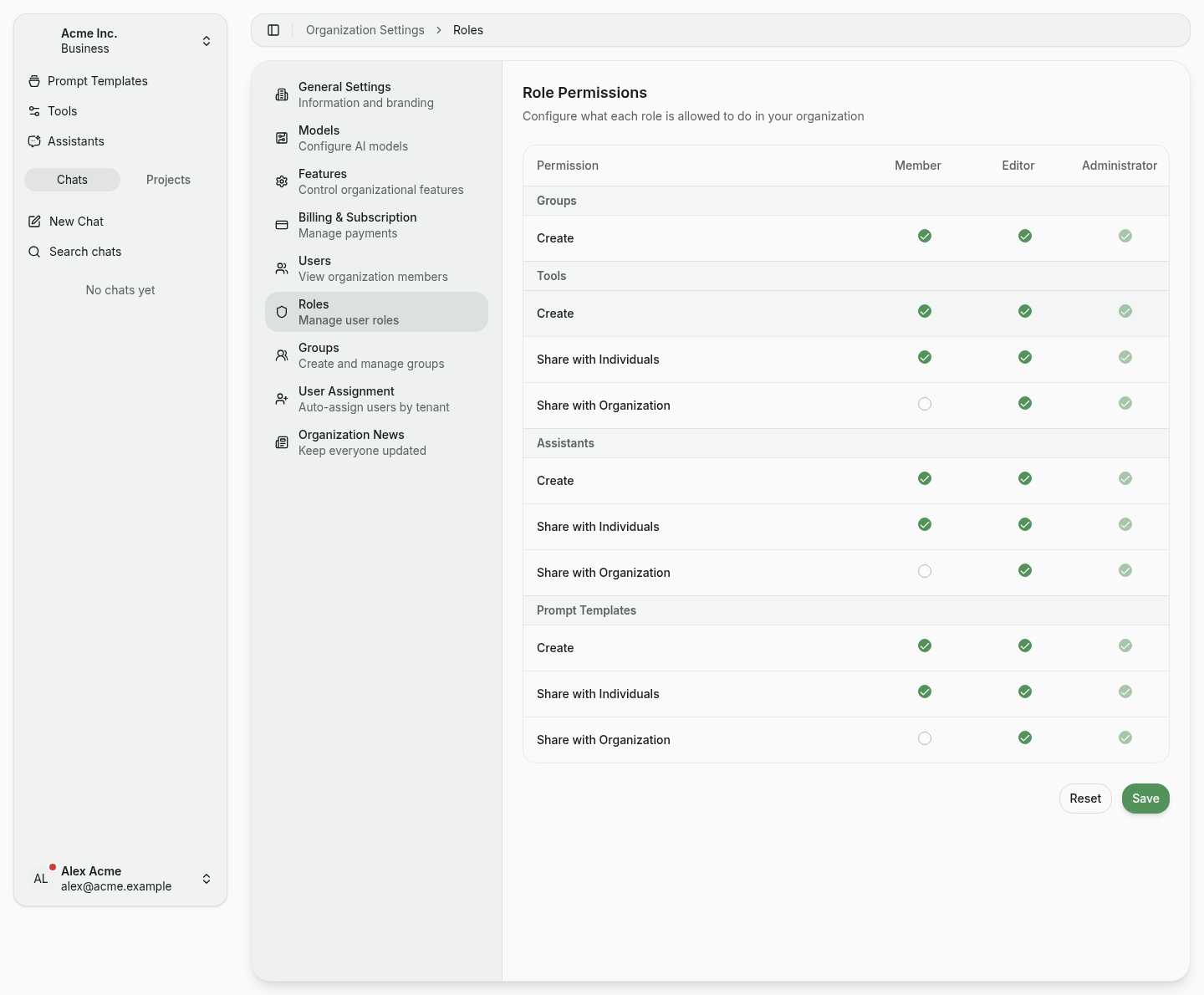
- Save commits all pending changes immediately and for the whole organization. Existing resources are unaffected — only new actions are evaluated against the updated permissions.
- Reset discards all changes since the last save.
TIP
When a member attempts an action their role doesn't allow, the UI either hides the option or shows a Not allowed by your role notice. Permissions are additionally enforced server-side.
Related
- Users & Roles — manage members and assign roles.
- Sharing — the user-facing flow these permissions gate.
- Groups — bundle recipients for the Share with Individuals action.
- Assistants, Tools, and Prompt Templates — resources subject to these permissions.